Post content
To complete the Product Management and Culture Program at Instituto Tramontana, I had to build a digital product in six weeks alongside Paula Carrasco, a machine learning design expert at Mercado Libre and Asier García, co-founder and CTO of Chubbyapps. It had to solve a real problem close to us. We chose something Asier felt very personally: the frustration of having to customize dozens of emails every time he sent press releases to media outlets. He noticed this personalization improved response from influencers. This led us to an idea: M.A.P.I.A. (Automated Mails Personalized by Artificial Intelligence).
Personal relationships are key
Nobody wants to feel like a number. We like being called by our name. This is the first step to building a personal relationship and connection with people we talk to. The more we interact, the better we know each other and the more personal our relationships become. The bond strengthens and what we communicate has greater impact. However, we often waste that opportunity in our virtual relationships.
Think about mass emails. When we receive one, we often feel like just another one, someone in the crowd. This anonymous treatment wastes the opportunity to create an emotional connection with the company or person who sent it.
I remember Dale Carnegie, in his classic How to Win Friends and Influence People, where he defends the importance of calling people by their name. Or Ursula K. Le Guin's idea in A Wizard of Earthsea, where names possess inherent power. Calling people by their name is a first step to valuing them and establishing a stronger connection.
There are applications that try to include names and other data in mailing campaigns using tags. Sometimes this even causes errors in the email text. But limiting ourselves to names makes us lose the opportunity to create a deeper bond and genuine personal relationship that lasts long-term.
This is where Artificial Intelligence comes in. Leveraging its potential, we can generate emails with greater or lesser personalization layers automatically. This makes it easier to create a feeling of closeness with recipients. As Simon Sinek said in one of his talks, relationships and connections are the most powerful force on the planet, something invisible that shapes our lives.
Personalization works
For Chubbyapps, establishing personal relationships with influencers is fundamental. This ensures they know their products and promote them on their channels. The efforts they make to cultivate close relationships with those who have talked about them are an essential pillar in their long-term strategy. They seek to position themselves as an accessible company, attentive to others' needs, which reinforces their reputation and market visibility.
When there's news, they prepare a base email they use as a template. Then they review each influencer's interests to adapt the message. For example, they mention when they last had contact or how the news connects with their interests. With this approach, their email isn't just another campaign in the daily avalanche of messages, but a genuine interaction.
How does Mapia work?
Mapia allows personalizing emails from initial text, fed by a database with different complexity levels. With these emails, you can keep your influencers updated about your company's activity, relating it to their interests, publications and the relationship you already maintain with them.
This functionality isn't limited to press releases. It can also be applied in email marketing or client management by sales teams.
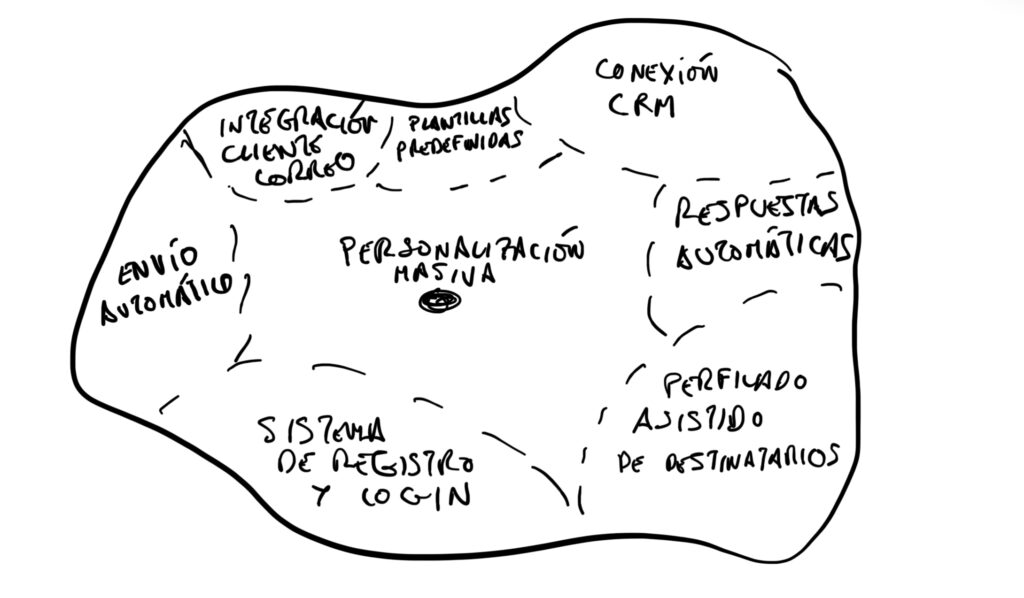
The application's heart is mass email personalization. Other functionalities like CRM connections, email client integrations or sending are considered secondary in this first phase. Initially, we'll focus on a simple personalization layer, like name and email tone (from more formal to less formal), to validate the idea. From there, based on the feedback we receive, we'll evaluate the next functionalities to implement.
Mapia's scope: setting product limits
Product design work is a balance. It's easy to get carried away by ideas and want to cover everything. But to build something useful and robust in limited time, it's crucial to know where to focus.
Initially, Mapia's center is mass personalization. However, the periphery of functionalities we imagine for the future is broad: discovering new influencers, assisted profiling of recipients, personalizing communication tone, extracting interests from text body, detecting new interactions from already identified influencers, completing their profile, assigning a relationship score, performing mass sending, detecting conversation rhythm or even fostering relationships with a "cool start".
Mapia's main task focuses on text processing and requires visualizing quite a bit of information. That's why we focused on a desktop version, specifically a browser application. For now, we're discounting mobile, TV, tablet or conversational device versions.
The path isn't always easy: problems and learnings
Building a product in such little time, six weeks, brings challenges. Some things can go wrong, and it's important to be aware of this. For example, we could face lack of adherence if the application is used little in certain profiles, like occasional press release sending.
Another concern was dependency on tools like Lovable. It's a big "black box" where we don't always know what happens, or if we can scale if needed. This could lead us to a product with poor functionalities or design, depending on connections incentivized on their platform, like Supabase. There's also risk that our initial use case is so niche it won't allow us to expand the product to a broader user base. And of course, competition. That email marketing platforms like Mailchimp release something similar, adding a personalization layer, is a possibility. After all, it's easy to copy, and we don't have anything "hard-to-copy".
The prototype
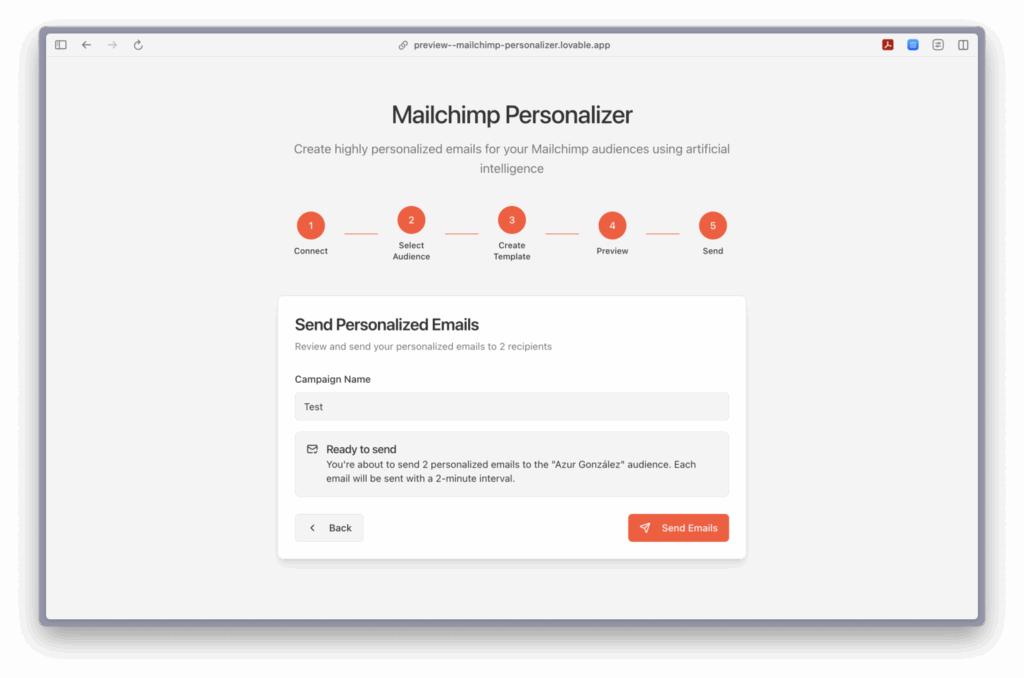
We created an initial prototype with Lovable, dedicating just one hour of development. We think it's enough to show it and get feedback from other people. We don't want to do things just because we can, that would add unnecessary complexity to the product. You can access the already published version here: https://app.mapia.tech/ (only sends through mapia.tech domains).
Initially, our scope only contemplated the personalization step. However, when introducing the prompt in Lovable, the tool generated more functionalities than we had initially described. This led me to reflect on flexibility and continuous learning.
Signal gathering
Talking with people who could use Mapia is essential. Their insights help us refine the product.
I had the opportunity to talk with Alfredo Lores, marketing specialist and founder of a language academy. He already performs a similar process, though with much manual work, mainly to maintain relationships with leads. For him, it would be priority to connect the application directly to a CRM so it collects data and each client's status. He told me: "Help me recover the relationship with this client". For Alfredo, it was important that even with negative responses, a kind reply would be generated. "The problematic thing is when they seem like robots", he commented. It also seemed powerful to him for nurturing campaigns in email marketing or for profiling company domains and automating cold emails with personalization. Another example he gave me was his academy: the application could take the student's file and automate emails at key moments like Christmas or birthdays.
I also talked with Emma González, dedicated to marketing and communication, whose use case is similar to Asier's: she sends press releases to many media outlets. She personalizes very little, for lack of time and because she knows in some cases she won't get a response. For her, such deep personalization level as shown in the MVP demo wouldn't be necessary at first. It would be enough to determine the email tone: from less to more formal. She values the message getting away from feeling like it was sent through a distribution list. "The personal part is a difference in our company and we reflect it in communication", she told me. However, she confessed: "It terrifies me to delegate to artificial intelligence because in something personal I don't know what it will produce". Her words made me reflect on trust and the need for transparency in AI processes.
These insights are invaluable. Emma's comment about personal information "in her head" made us doubt if people would create a new contact list just for this. This led us to conclude there is a gap for mass mailing with a personalization level that makes emails more "authentic".
Pivoting with Mailchimp
After some failed prototypes due to technical complexities (especially with OAuth and Google APIs), we decided to pivot. We concluded we could make an application integrated with Mailchimp and publish it in their integrations directory.
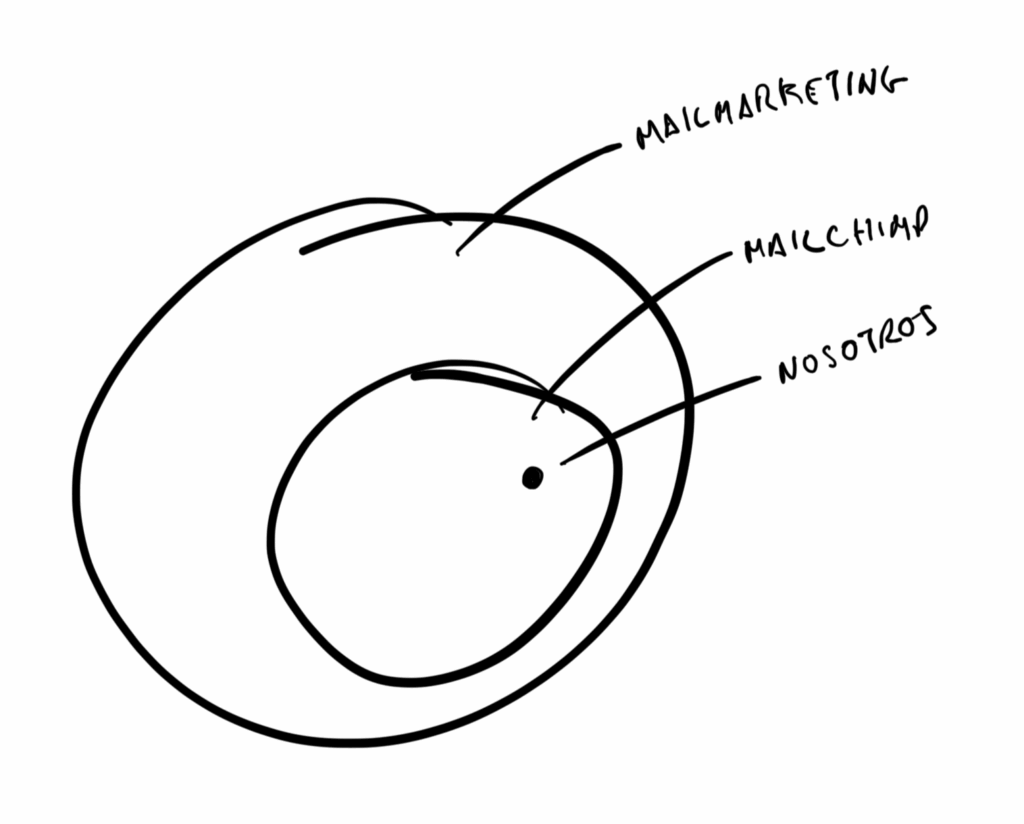
An integration with Mailchimp is a small, manageable product, quick to create and very useful for users, since they already have audiences created with collected data. We could have done it with another platform, but Mailchimp has almost 70% market share.
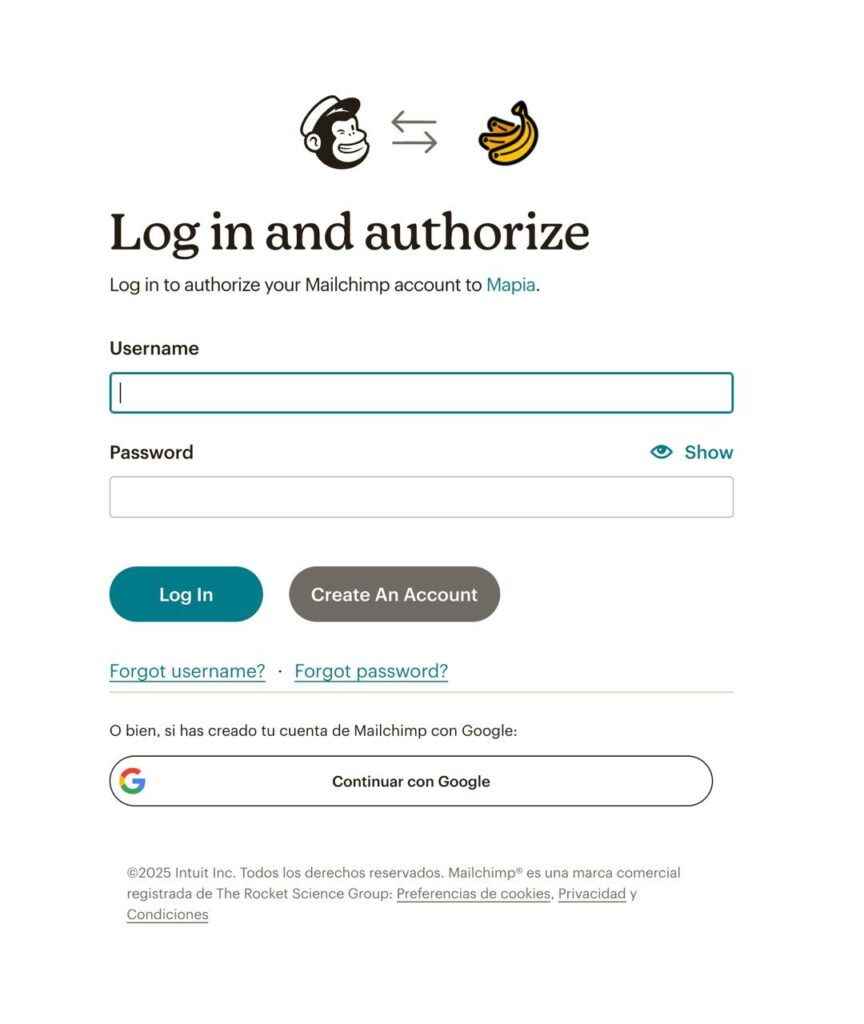
We made a new proof of concept. This helped us analyze the idea's viability and improve the application's use definition: use OAuth so the user connects directly with their Mailchimp account and email sending would use the specific API for transactional emails, since the campaigns one doesn't allow mass sending of such different emails.
This second week helped us expand our technical knowledge and have a better defined product. We also took advantage to define some visual aspects.
Personalization through notes
In the third week, the goal was refining the personalization prompt and creating a new prototype with Mailchimp authentication that took contact notes for personalization. And we succeeded.
I started building the prototype again in Lovable. The main reason was applying prompting learnings without inheriting code from previous versions, getting a "cleaner" application. The first prompt I gave Lovable was quite detailed, including the application structure, OAuth2 login flow with Mailchimp, audience selection, email writing, sending to OpenAI for personalization, visualizing generated emails and mass sending option with Mailchimp's transactional API. I even gave it a color palette and minimalist style inspired by Linear.
From there, I iterated and adjusted details. OAuth2 authentication, which worried me, was quick and simple thanks to week 2 learnings.
The prompt for email personalization was written by my teammate Paula Carrasco, Sr. Machine Learning Designer at Mercado Libre.
And after this week, we already had a functional application connected to Mailchimp that personalizes emails massively.
Failing
The fourth week was plagued with failures, but also many learnings. Our goal of registering in Mailchimp's marketplace hit a requirement: having 25 connected users. Something we'll have to postpone for now.
But the biggest hurdle was configuring the application to send emails with Mailchimp's transactional API (Mandrill). A disaster. At first, I believed it would use the email the user had configured in Mailchimp. Unfortunately, it's not like that. The domain from which emails are sent must be validated. So I bought mapia.tech and hosting. It was something I had planned for the fifth week, but the situation required flexibility.
The domain verification process is simple: create SPF and DKIM entries in DNS. This grants permission to send emails on your behalf. Once this was done, Mandrill sends still didn't work. Mentally exhausted, I decided to leave it for a few days.
Early in the fifth week, I did manage to send emails using Resend's API. The answer to why Mandrill didn't work was given to me by Perplexity: you need to have a paid account. This seemed like an error by Mailchimp/Mandrill, if they had specified it clearly, it would have saved me many headaches. This process is helping me become passionate about vibe coding: understanding software, how pieces connect, and conversing with AI to build the application.
Bananas
The fifth week was decisive. With Perplexity's clue, I jumped to Resend. I could have tried again with Mandrill, but I was a bit fed up with its interface and the frustrations it had generated.
A couple more prompts and I had a complete system for Mailchimp connection, audience selection, basic email personalization and mass sending.
But something essential remained: the complex personalization layer based on notes associated with each contact and a more intuitive interface. So I rebuilt the system step by step, adding function logs errors to the prompts.
It took less time than we thought. We wanted to add a differential layer, something that would help generate greater adherence. So I included a module to add, modify and delete notes associated with contacts. Much more accessible than Mailchimp's system.
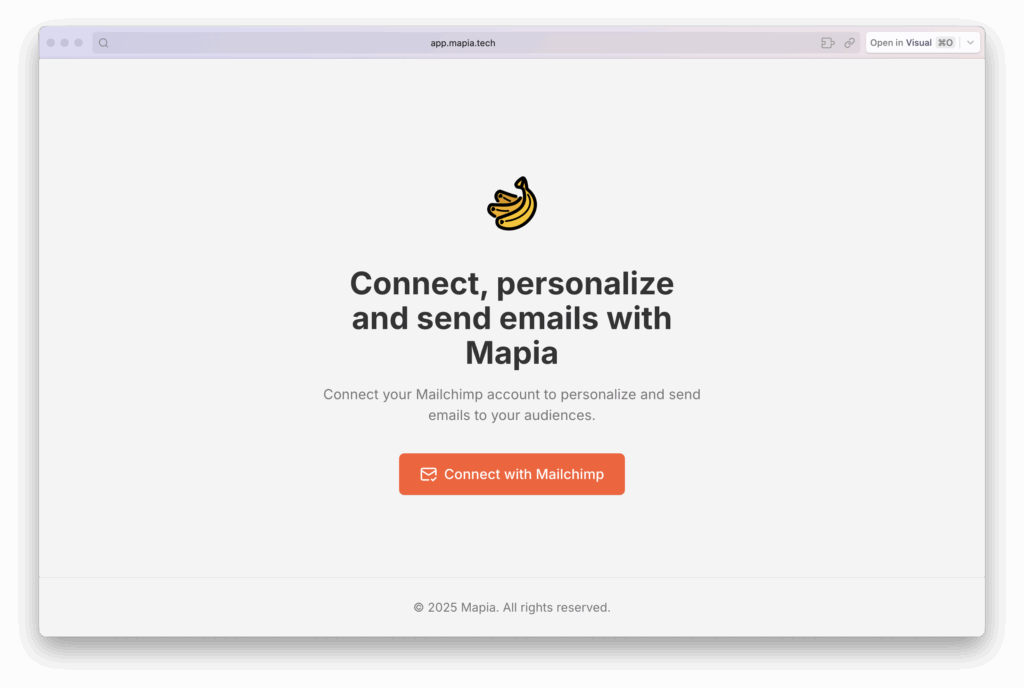
And the version we used for the sixth week demo is already published: https://app.mapia.tech/ (only sends through mapia.tech domains).
A presentation landing page for the product was missing. I decided to try v0, an application similar to Lovable. The prompt was clear: "Create a landing page for Mapia, a new digital product. This product helps users personalize emails for their audiences in their Mailchimp accounts —not just one email, but each one individually— with OpenAI's help." I gave it the colors and Linear's minimalist style.
I liked v0's result, but it used Node, so I couldn't deploy it on my server. I decided to experiment: I uploaded the landing JPG to Lovable with the prompt: "Here's the design for a landing page for Mapia, make it real." And done, working landing: https://mapia.tech/.
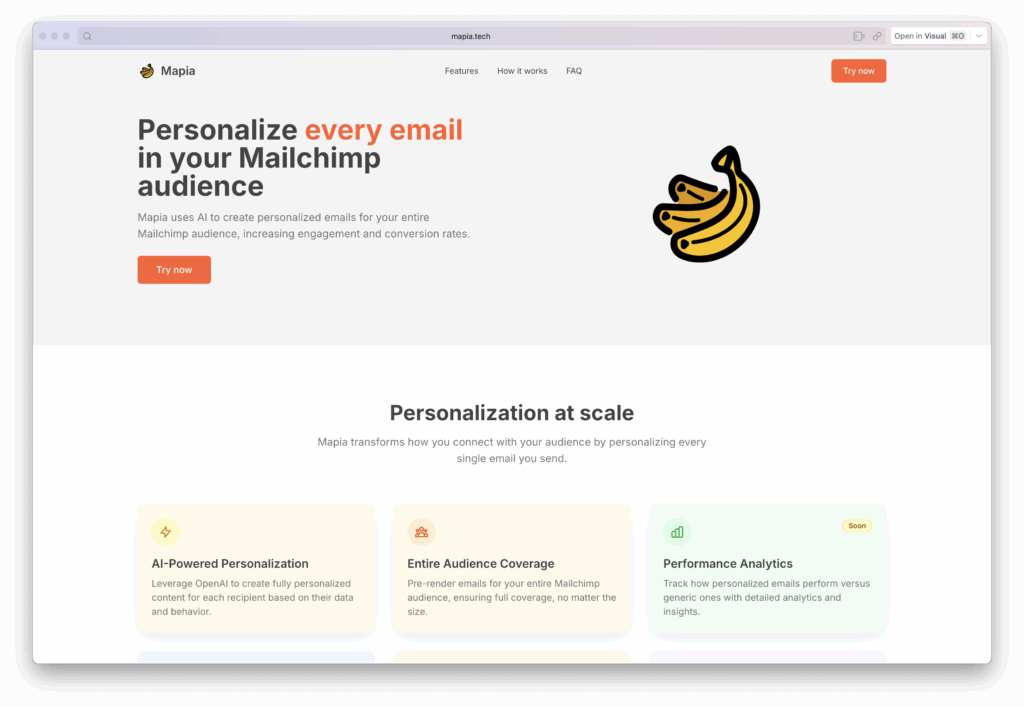
I fine-tuned a couple things, added the module explaining the need for domain validation... and the bananas. Yes, bananas. They connect well with Mailchimp's style, are fun and create nice games, like on the welcome screen.
We only had to solve a couple bugs in personalization, so the last week was calm.
Learnings
We reached the final week. The demo went smoothly. We even discovered a new "functionality": adding the contact's language in their notes, the email is generated in that language.
Here are the main learnings from this construction process and vibe coding:
- Play dumb: This is the most important learning from vibe coding. You won't always have knowledge of all software pieces and how they connect. AI probably knows better than you. Instead of giving it instructions based on speculation, ask questions, ask for advice: "How would you make an application that connects to Mailchimp?". It will respond with a plan. Read it carefully, it will help you understand what it's going to do. If the plan convinces you, you just have to ask it to implement it. Deep down, it's like a chess game, you think you know a lot, but the machine is a thousand moves ahead. Let it play, you give it the objectives.
- Find a "pain" and solve it: Focus on a real, close problem.
- Set limits: Avoid the product becoming an amalgam of functionalities.
- Review logs and use them in prompts: Simplifies error debugging.
- Build in parts and experiment: Go step by step and don't be afraid to try new things.
- Don't be afraid to rollback: If something doesn't work, go back to a previous version.
- Document and plan: Be clear about your technical and deployment objectives.
- Launch early and seek feedback: The sooner you deploy and listen to users, the faster you can iterate.
- Start over: It's the best way to apply learnings and improve.

–
Get in touch with me if you want to try Mapia.
–
Follow me on LinkedIn to stay updated on new publications.