Post content
Soundtrack: Inner song, by Kelly Lee Owens
–
This post is quite more technical than usual but, when I started documenting vidiv's microinteractions to share them with the development team, I thought about sharing it. Because I really had fun doing it and because maybe it'll be useful to someone.
Let's start from the beginning:
What is vidiv?
Vidiv is a platform for hosting virtual events (training, all-hands, product presentations, conferences, etc.), better if they're for more than 100 people.
I don't want to go into more detail, if you want more information I recommend you visit the website.
Being able to be part of the vidiv team was the trigger for me to leave the freelance world. I think I couldn't have made a better choice. It's a pleasure to work living in a constant learning process and doing it surrounded by people with so much talent.
What is a microinteraction?
According to Nielsen Norman Group:
Microinteractions are trigger-feedback pairs in which (1) the trigger can be a user action or an alteration in the system's state; (2) the feedback is a narrowly targeted response to the trigger and is communicated through small, highly contextual (usually visual) changes in the user interface.
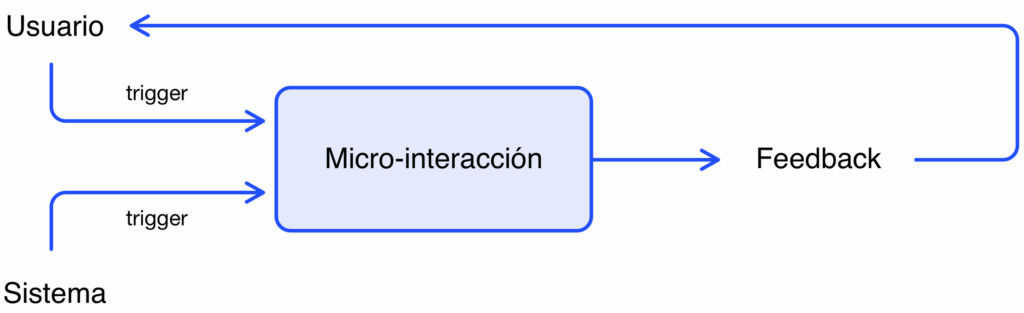
This sounds very cold, very clinical, but microinteractions can also produce small doses of pleasure. Think about the click sound when closing the AirPods case or the feel of a mechanical keyboard (sensory pleasure), Facebook emoji animations (pleasure derived from social relationships), loading bar animation (psychological by reducing mental load)... and many more.
As Miguel Oliva Márquez explained to us at Instituto Tramontana, a microinteraction is a way in which the product communicates with the user briefly... but for it to be quality, it has to be pleasurable.
Types of microinteractions
Utilitas versus delectus.
We distinguish two types of microinteractions: utilitarian and delightful ones.
Utilitarian ones are related to efficiency and the more functional part of the interface. They direct attention to a specific element and communicate state changes or progress. An example: the color change of a button when hovering over it, the animation of a switch, etc. They are very brief in time.
Delightful ones are reserved for moments that require greater expressiveness. They communicate emotions, help connect with the user and reinforce brand image. In vidiv's case we would have a clear example in the emotion pad animations. They are more prolonged in time and, although they're not essential for using the application, they do help transmit the product's personality and give the user small moments of enjoyment.
Utilitarian microinteractions
Duration
There are a series of variables to take into account when establishing the duration of a microinteraction:
- Complexity of the message to communicate
- Repetition of the action during application use
- Element size
- Distance to travel or change that occurs in the component
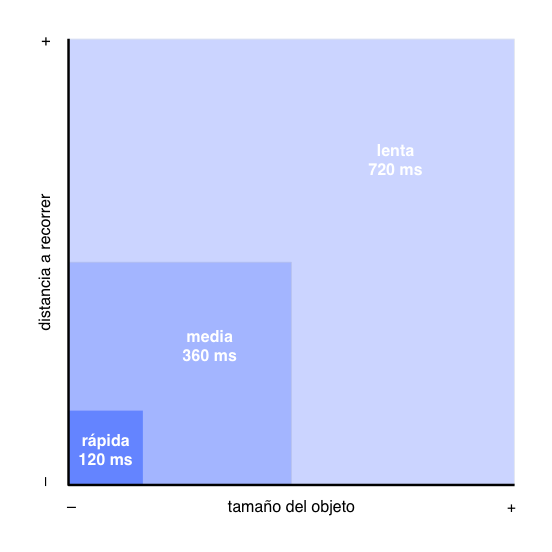
In vidiv we establish three types of duration:
Fast 120 ms – example: buttons (you can try it in Framer)
Medium 360 ms – example: chat panel appearance (also in Framer)
Slow 720 ms – example: transition to full screen
The element size and distance (or change) it travels are variables that help us decide the speed we give to the animation.
Easing
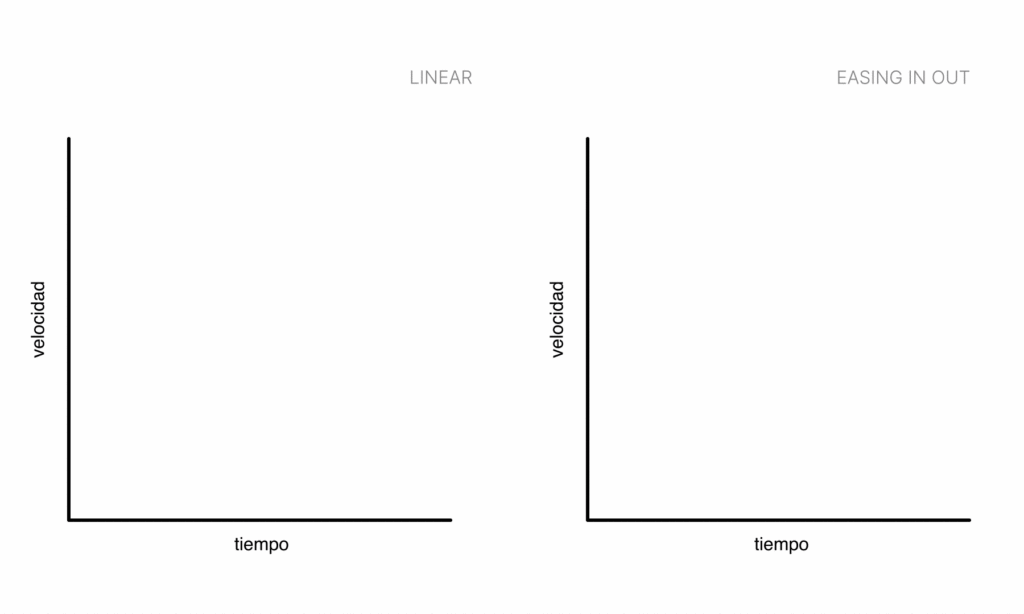
Objects in motion suffer small accelerations and decelerations due to the materials they're made of and gravity.
On the opposite side, perfectly linear movement is not perceived as something natural.
Therefore, to give naturalness to animations we apply easing in out systematically.
Element order in combined animations
An animation can affect several overlapping elements, in that case sometimes undesired effects occur like text being displayed before its corresponding background.
In order to avoid that type of errors we assign a brief delay to some of the variables. In the example, the content transparency is animated after the position of the same.

Delightful microinteractions
In vidiv, delightful microinteractions don't have a predetermined duration or behavior. The design team evaluates them according to needs.
Example: the emotion pad.
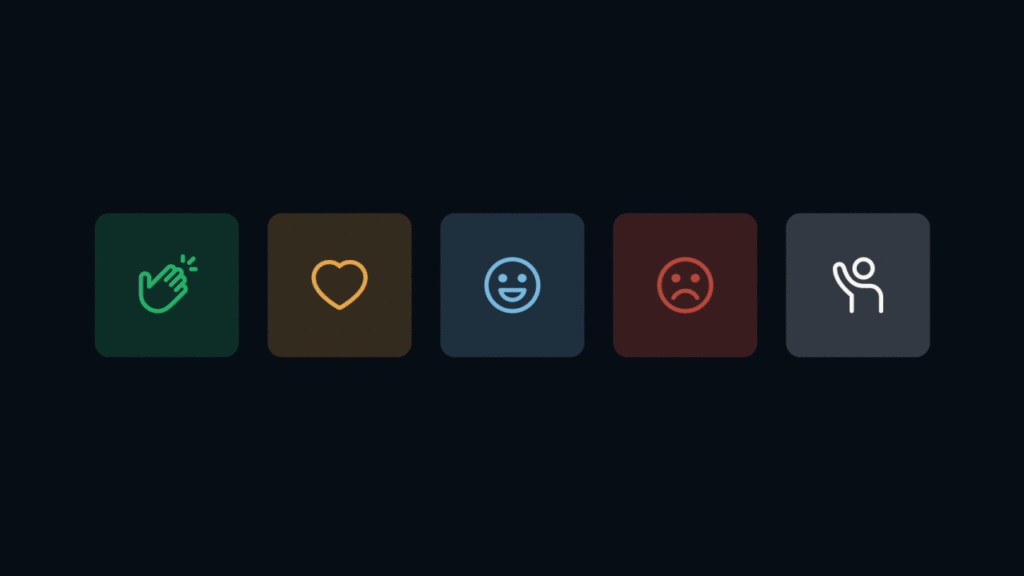
This type of animations are provided to technology preferably in JSON for Lottie, in video (if it requires audio) or, as a last resort, in GIF.
Not everything that's documented is implemented yet, but little by little we see how vidiv matures. Both in functionalities and in level of detail.
–
Do you remember any interaction that gives you pleasure?
I'll stick with the clicks that the iPhone makes when rotating the alarm time.
References
Links to various material I turned to during the documentation process:
https://www.nngroup.com/articles/microinteractions
https://xd.adobe.com/ideas/wp-content/uploads/2021/06/Animation-in-Design-Systems.pdf
https://carbondesignsystem.com/guidelines/motion/overview
https://medium.com/@aviadtend/motion-design-system-practical-guide-8c15599262fe
https://www.designsystems.com/5-steps-for-including-motion-design-in-your-system
https://material.io/design/motion/understanding-motion.html
https://design-system.pluralsight.com/core/motion
And, lastly and most importantly, to the notes I took during the Interaction Design Program.